Tuesday, March 19, 2013

Modifying Navigation in Dreamweaver Template


Modifying Navigation in Dreamweaver Template

Navigation Menu: Vertical or Horizontal

http://proquestcombo.safaribooksonline.com/book/web-design-and-development/9780133006018/8dot-using-styles-for-layout/ch08lev1sec5#X2ludGVybmFsX0ZsYXNoUmVhZGVyP3htbGlkPTk3ODAxMzMwMDYwMTglMkZjaDA4bGV2MXNlYzU=

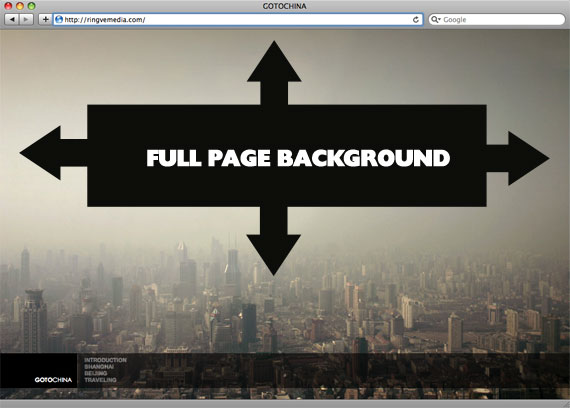
Full Page Background


http://css-tricks.com/perfect-full-page-background-image/

CSS-Only Technique #2

One rather simple way to handle this is to put an inline image on the page, fixed position it to the upper left, and give it a min-width and min-height of 100%, preserving it's aspect ratio.
<img src="images/bg.jpg" id="bg" alt="">
#bg {
  position: fixed; 
  top: 0; 
  left: 0; 
 
  /* Preserve aspet ratio */
  min-width: 100%;
  min-height: 100%;
}
However, this doesn't center the image and that's a pretty common desire here... So, we can fix that by wrapping the image in a div. That div we'll make twice as big as the browser window. Then the image will be placed, still preserving it's aspect ratio and covering the visible browser window, and the dead center of that.
<div id="bg">
  <img src="images/bg.jpg" alt="">
</div>
#bg {
  position: fixed; 
  top: -50%; 
  left: -50%; 
  width: 200%; 
  height: 200%;
}
#bg img {
  position: absolute; 
  top: 0; 
  left: 0; 
  right: 0; 
  bottom: 0; 
  margin: auto; 
  min-width: 50%;
  min-height: 50%;
}
Credit to Corey Worrell for the concept on this one.
Works in:
  • Safari / Chrome / Firefox (didn't test very far back, but recent versions are fine)
  • IE 8+
  • Opera (any version) and IE both fail in the same way (wrongly positioned, not sure why)
  • Peter VanWylen wrote in to say that if you add the image via JavaScript, the img needs to have width: auto; and height: auto; to work in IE 8, 9, or 10.

Thursday, March 14, 2013

Centered Menu

 Centered Menu Basic Example

http://matthewjamestaylor.com/blog/beautiful-css-centered-menus-no-hacks-full-cross-browser-support#

http://matthewjamestaylor.com/centered-menus/#

ASG: Dreamweaver Horizontal Spry Menu Bar


Text Book:
http://proquestcombo.safaribooksonline.com/book/web-design-and-development/9780321718143/building-pages-with-dynamic-elements/ch14lev1sec1

http://proquestcombo.safaribooksonline.com/book/web-design-and-development/9780133006018/firstchapter#X2ludGVybmFsX0ZsYXNoUmVhZGVyP3htbGlkPTk3ODAxMzMwMDYwMTglMkZhcHAwNXNlYzFsZXYx


Change The Cell Width of Spry Menu Bar

Menu Hover Transition to change the color

CSS3 Tutorial for Hover Transition to change the color
http://www.imajine.in/tutorials/css/texthover.aspx

CSS:

a:link {
color:#666666;
text-decoration:none;
font-family:Arial, Helvetica, sans-serif;
font-size:20px;
-webkit-transition-property:color, text;
-webkit-transition-duration: 0.5s, 0.5s;
-webkit-transition-timing-function: linear, ease-in;

-moz-transition-property:color, text;
-moz-transition-duration:0.5s;
-moz-transition-timing-function: linear, ease-in;

-o-transition-property:color, text;
-o-transition-duration:0.5s;
-o-transition-timing-function: linear, ease-in;
}
a:visited {
color: #6E6C64;
}
a:hover, a:active, a:focus {
color:#009999;
}

Change menu-image

ul.nav {
list-style: none;
border-top: 0px solid #666;
margin-bottom: 15px;
color:#CC66CC;
}

ul.nav li {
border-bottom: 0px solid #666;
        background-image: url(images/menu-bg.jpg);
        color:#CC66CC;
}

ul.nav a, ul.nav a:visited
padding: 5px 5px 5px 15px;
display: block;
width: 160px;
text-decoration: none;
color:#CC66CC;
}

ul.nav a:hover, ul.nav a:active, ul.nav a:focus
background-image: url(images/menu-bg-1.jpg);
color: #FFF;
}


--> menu-bg.jpg
--> menu-bg-1.jpg

Centering a Horizontal Menu Bar

Centered Menu Basic Example
http://matthewjamestaylor.com/blog/beautiful-css-centered-menus-no-hacks-full-cross-browser-support#

CSS Centered Menu
http://matthewjamestaylor.com/centered-menus/#

Navigation Bar (w3school)

Centering a horizontal spry menu

Customize spry menu